Planned vs Actual Budget: How to Run a Monthly Budget Review
A budget is a prediction. The useful part comes at the end of the month, when you compare the prediction with what actually happened. That comparison, planned vs actual, is how a budget gets more realistic each month instead of being abandoned in March.
1. Set the plan before the month starts
List expected income, then give every category a planned amount: housing, utilities, groceries, transport, insurance, debt payments, savings, and a realistic amount for eating out and fun. If income minus planned spending isn't zero or positive, adjust now, not on the 28th.
2. Log actual spending as you go
Record each transaction against a category, or import your bank export once a week. Use the same category names as the plan so the totals line up.
3. Calculate the variance
For each category: variance = planned − actual. Positive means you underspent and negative means you overspent. Look at both the dollar amount and the percentage. Going $40 over on a $60 category is a bigger miss than going $40 over on a $1,200 one.
4. Ask three questions about each big variance
- Was it a one-off? A car repair or an annual subscription. Don't raise the monthly plan; create a sinking fund for next time.
- Was the plan unrealistic? If groceries run $80 over three months in a row, the plan is wrong, not you. Raise it and take the money from somewhere else.
- Was it a choice? Fine, as long as you decide where the money comes from.
5. Send the surplus somewhere on purpose
Underspending only helps if the money goes somewhere: an emergency fund, an extra debt payment or a savings goal. An extra debt payment shortens your payoff time. See snowball vs avalanche for which debt to target.
6. Keep the review short
Twenty minutes at month-end is enough: totals, the three biggest variances, one change to next month's plan.
Our Budget & Debt Payoff Planner has a planned-vs-actual budget alongside a debt payoff plan. Pick snowball or avalanche order and see the months and interest for each debt, and what an extra payment changes.
General information, not financial advice.
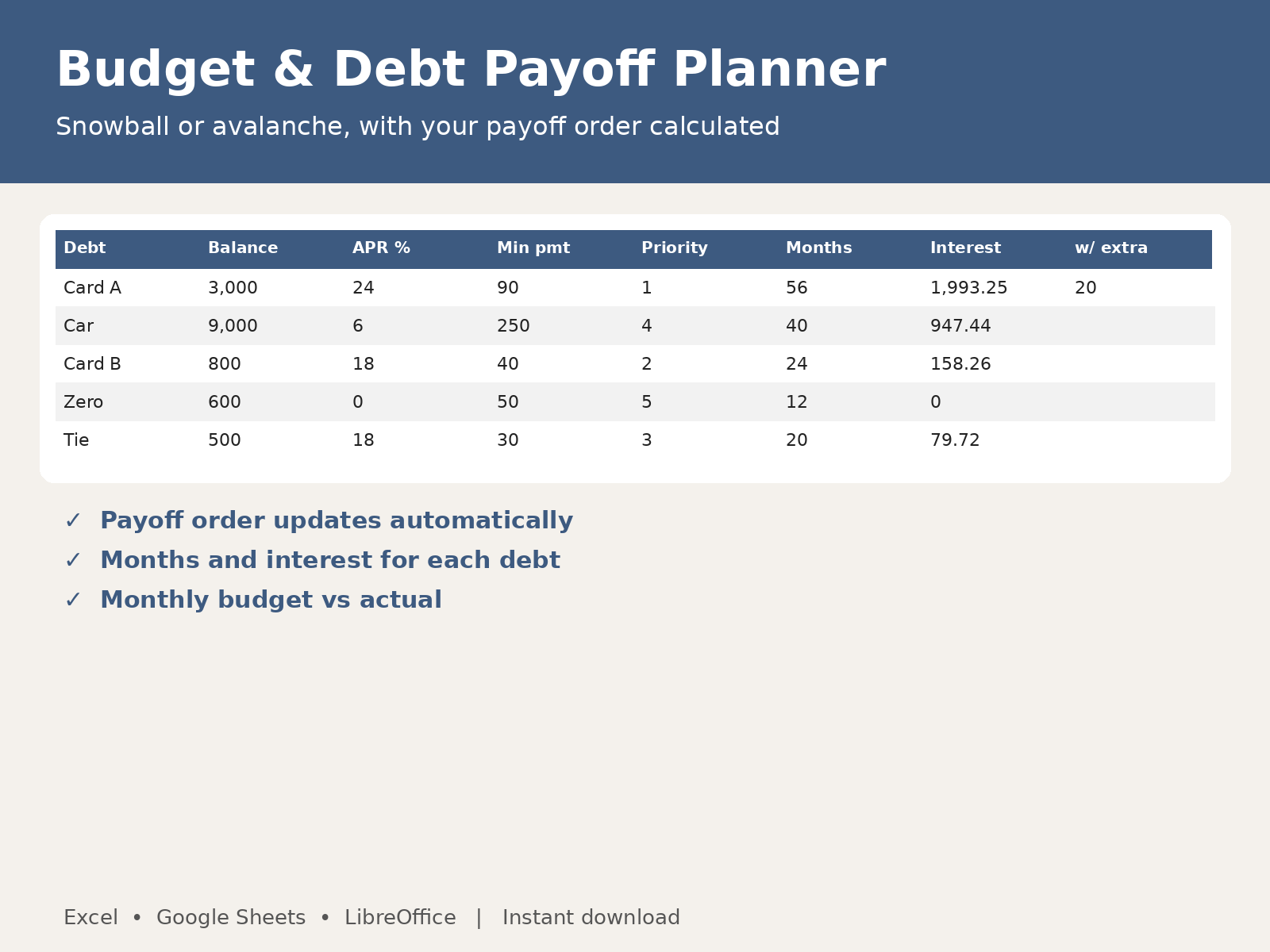
Budget & Debt Payoff Planner: instant download for Excel and Google Sheets.
Get the Budget & Debt Payoff Planner on Gumroad